
Try AI before customers do
Ask AI what your customers ask, see why it answered, and fix any answer. Free.
AI Assistant4 steps·3 min read
- 1
Open Test chat
Go to AI Assistant › Test chat. Type a question the way a customer would, in any language, and press Enter, or click one of the suggested questions. Nothing is sent to anyone. Click Start over to clear the chat.
app.swiftcampaigns.com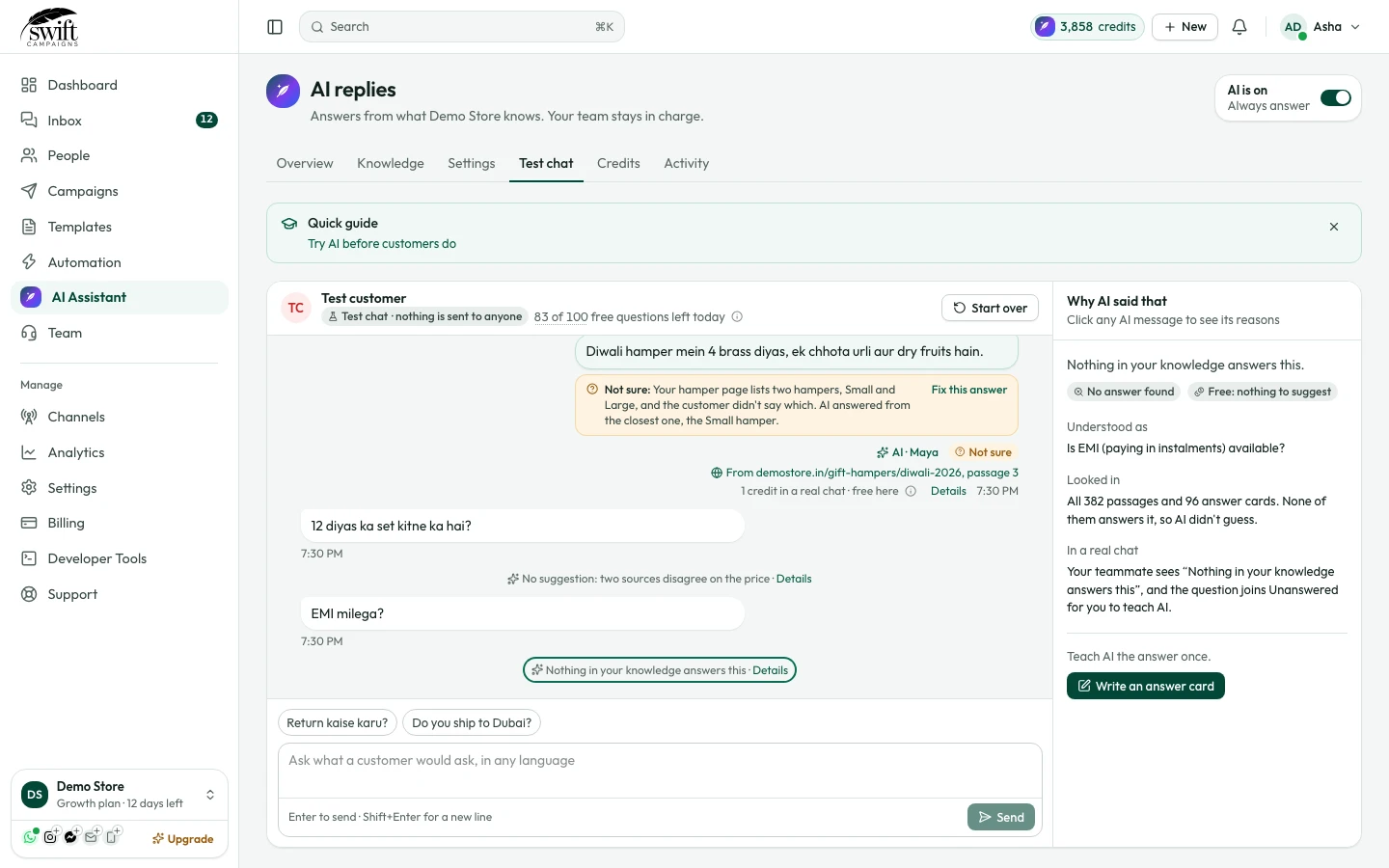
- 2
See why AI said that
Click Details under an answer. Why AI said that shows how AI understood the question, the passages it answered From, a Fact check that every amount, date, phone number and link is in a source, and the Length. When nothing in your knowledge answers, AI says so instead of guessing.
app.swiftcampaigns.com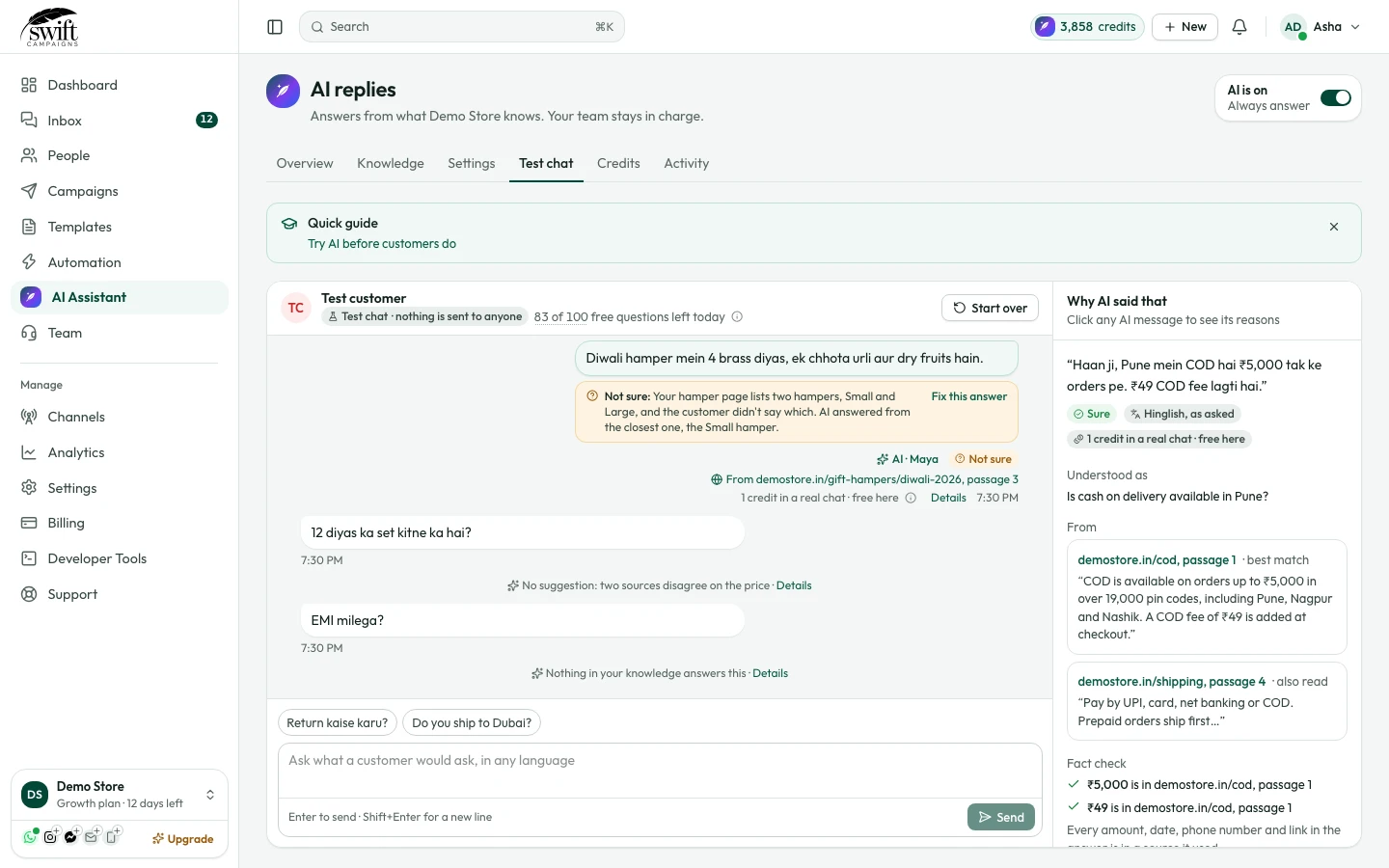
- 3
Use your free questions
Test chat is free. The top of the chat shows how many free questions are left today, for example 86 of 100 free questions left today. In a real chat, each AI reply uses 1 credit.
- 4
Fix an answer
Not happy with an answer? Click Fix this answer under it, or Fix with an answer card in the panel. A new answer card opens with the question filled in: write the right answer and save it. When nothing answered, click Write an answer card. Ask again to see AI use it.