AI credits
What a credit pays for, your welcome credits, buying more, and the credits chip.
AI Assistant5 steps·3 min read
- 1
What 1 credit buys
Go to AI Assistant › Credits. 1 credit pays for 1 AI reply a customer gets, however many messages it's split into, or 1 suggestion your team asks for. Hand-over messages, Test chat, learning your website and files, and replies that were never sent are free. If Meta doesn't deliver an AI reply on WhatsApp, the credit comes back by itself.
app.swiftcampaigns.com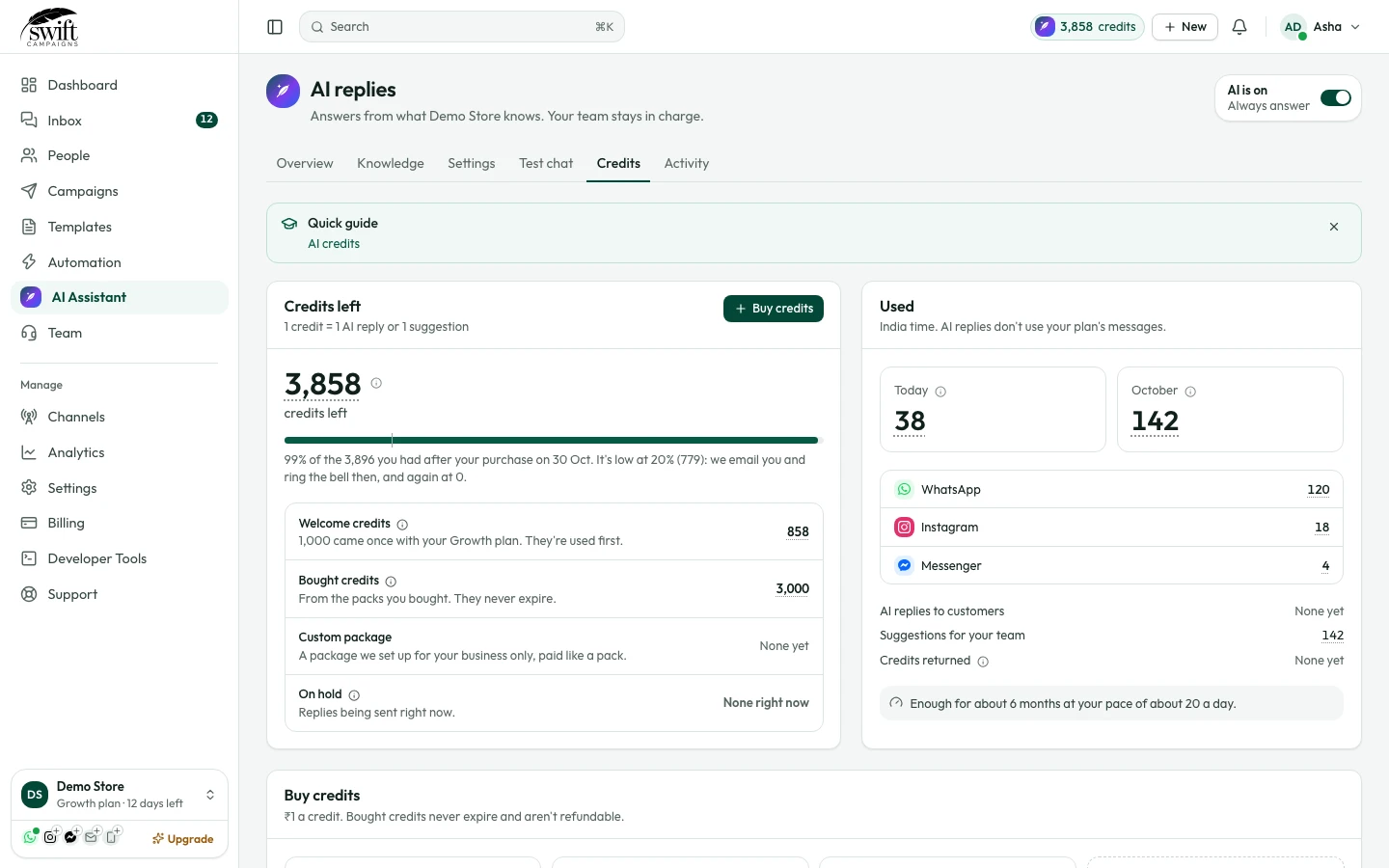
- 2
Your welcome credits
Plans with AI replies bring 1,000 welcome credits, once, within 15 minutes of the plan starting. They're used first. Credits you buy never expire.
- 3
Buy more credits
Under Buy credits, pick a pack of 1,000, 3,000 or 5,000 credits and click its Buy button, for example Buy 1,000. Pay in ₹ through Razorpay with UPI, card or net banking. Need more? Click Ask for a package and we'll set one up for your business.
- 4
Buy during a sale
When a sale runs, its packs carry a badge such as Diwali sale, the old price crossed out next to the sale price, and any bonus credits with the day the sale ends, for example +200 bonus credits · Ends 5 Nov.
app.swiftcampaigns.com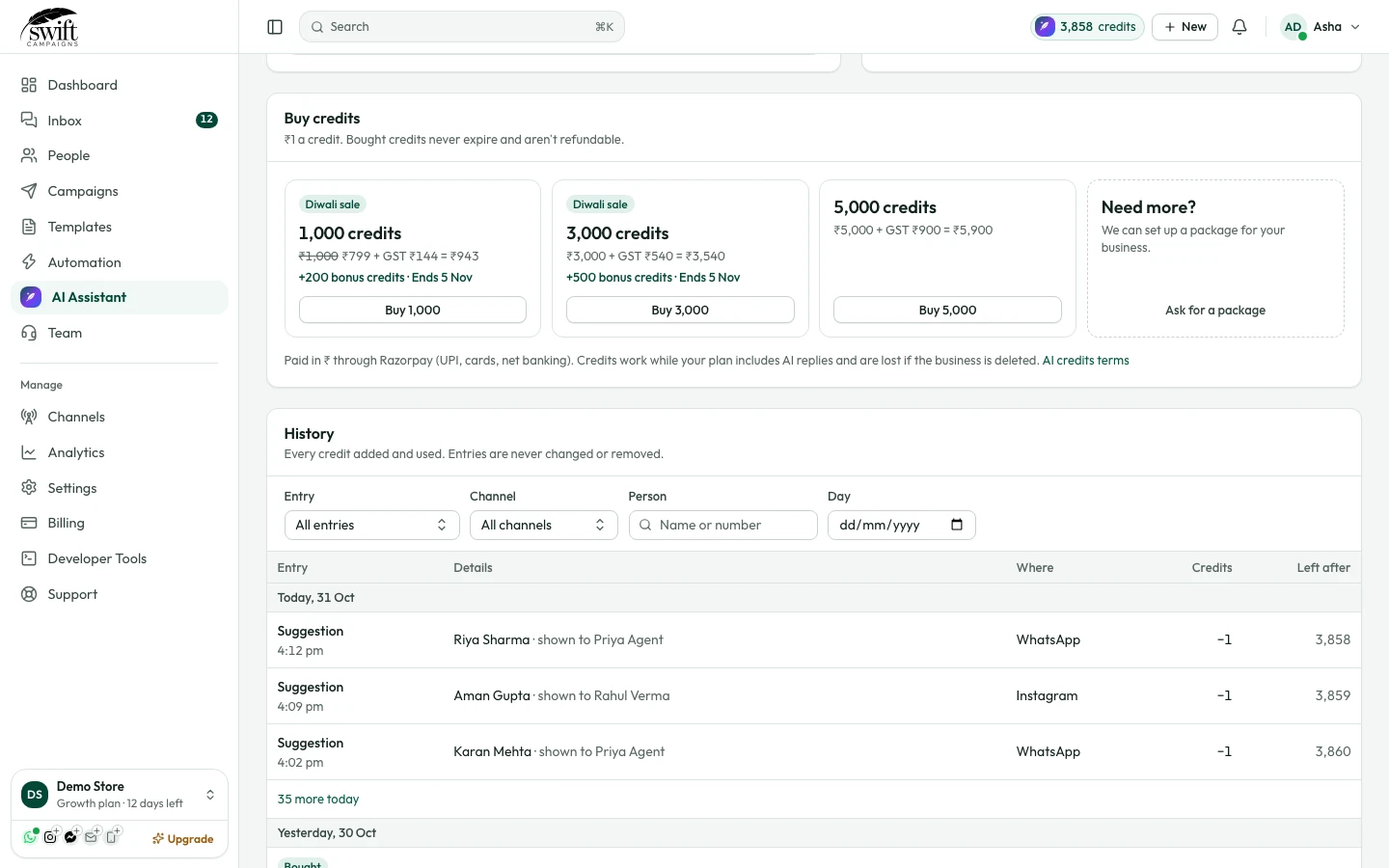
- 5
Keep an eye on the credits chip
The chip at the top of every page shows the credits you have left. Click it to see welcome and bought credits and what was used today, then See credits or Buy credits. When you're down to 20%, we email you and ring the bell, and again at 0.
app.swiftcampaigns.com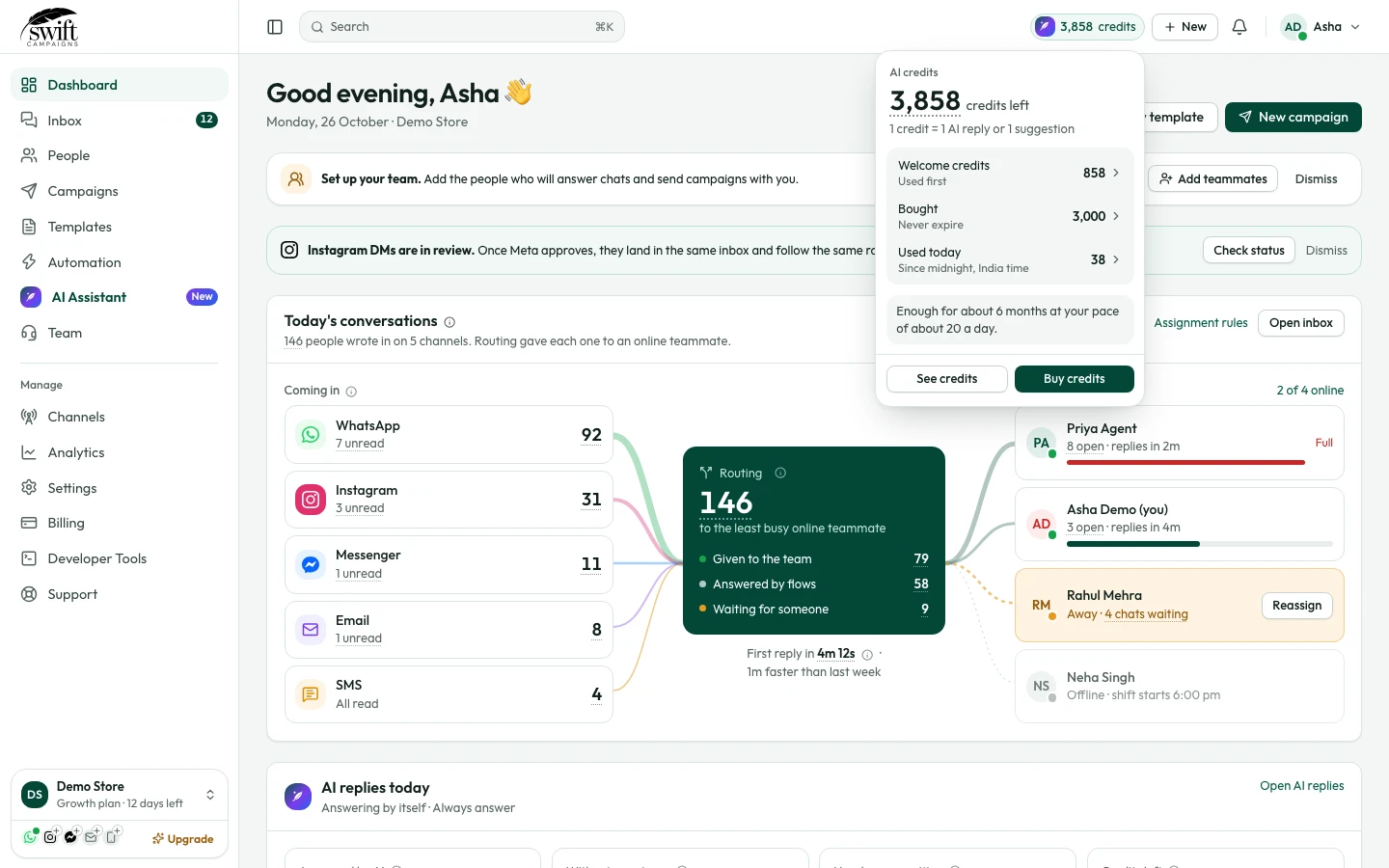
Good to know
- At 0 credits AI pauses: Suggest reply is off and new chats wait for your team. Basic replies and flows keep working as usual.
- AI replies don't count toward your plan's messages.