
When your team has the chat
How AI steps in when your team goes quiet, and how to keep a chat for your team.
AI Assistant5 steps·3 min read
- 1
Set when AI steps in
When a teammate replies, the chat is your team's. If the customer then writes and waits, AI can step in. Go to AI Assistant › Settings › When your team has the chat, keep Step in when your team goes quiet on, and set the minutes: After 5 min when your team is online and After 2 min when your team is offline or closed.
app.swiftcampaigns.com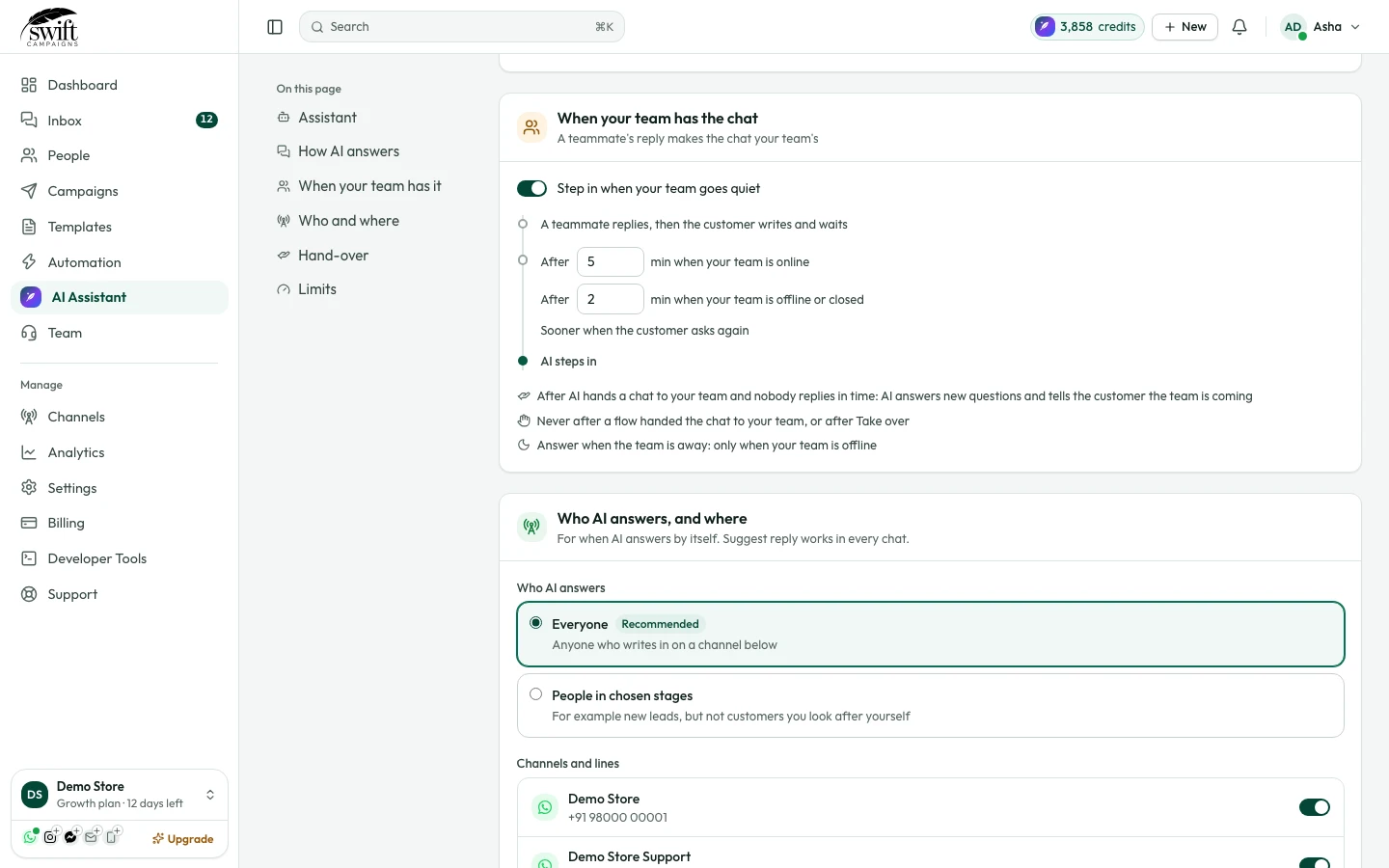
- 2
Sooner when the customer asks again
If the customer writes again while they wait, AI steps in sooner: the wait is cut in half, never under a minute.
- 3
After AI hands a chat over
When AI hands a chat to your team and nobody replies in time, AI answers any new question it can. For anything else it sends one short message saying your team has it and it's marked urgent. Your team gets an urgent alert in the bell and by email: "Aarav Nair is waiting and asked again".
- 4
See the countdown in the Inbox
A chat AI is about to step into says AI steps in in 4 min unless you reply, and the chat list shows AI in 4 min. Reply to keep the chat with your team. Click Answer now to let AI answer straight away, or Not this chat to keep AI out of it until you hand it back or close it.
app.swiftcampaigns.com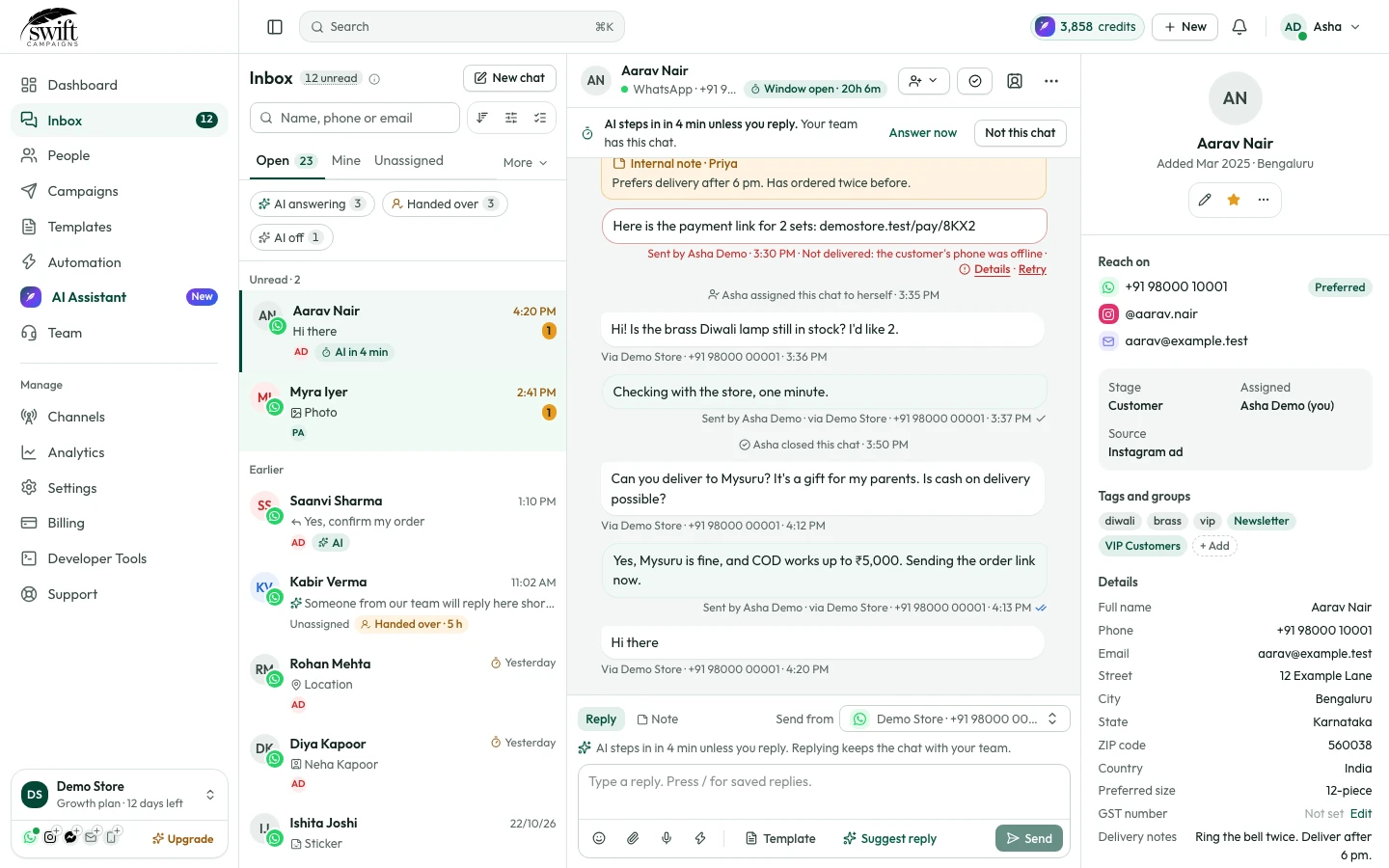
- 5
When AI never steps in
AI never steps in after a flow handed the chat to your team, or after someone clicked Take over. With Answer when the team is away, it steps in only when your team is offline.
Good to know
- When AI stopped on purpose, because the customer reached today's limit or your credits ran out, it stays out until a teammate hands the chat back or closes it.