
Teach AI what it didn't know
Answer the questions AI couldn't, keep answer cards right, settle disagreements and see everything AI did.
AI Assistant4 steps·3 min read
- 1
Answer what AI couldn't
Go to AI Assistant › Knowledge › Unanswered. You see this week's questions nothing in your knowledge answered, and how often they were asked. If a teammate answered one in a chat, click Save as answer card. If not, click Write an answer. Click Ignore for ones AI should leave alone.
app.swiftcampaigns.com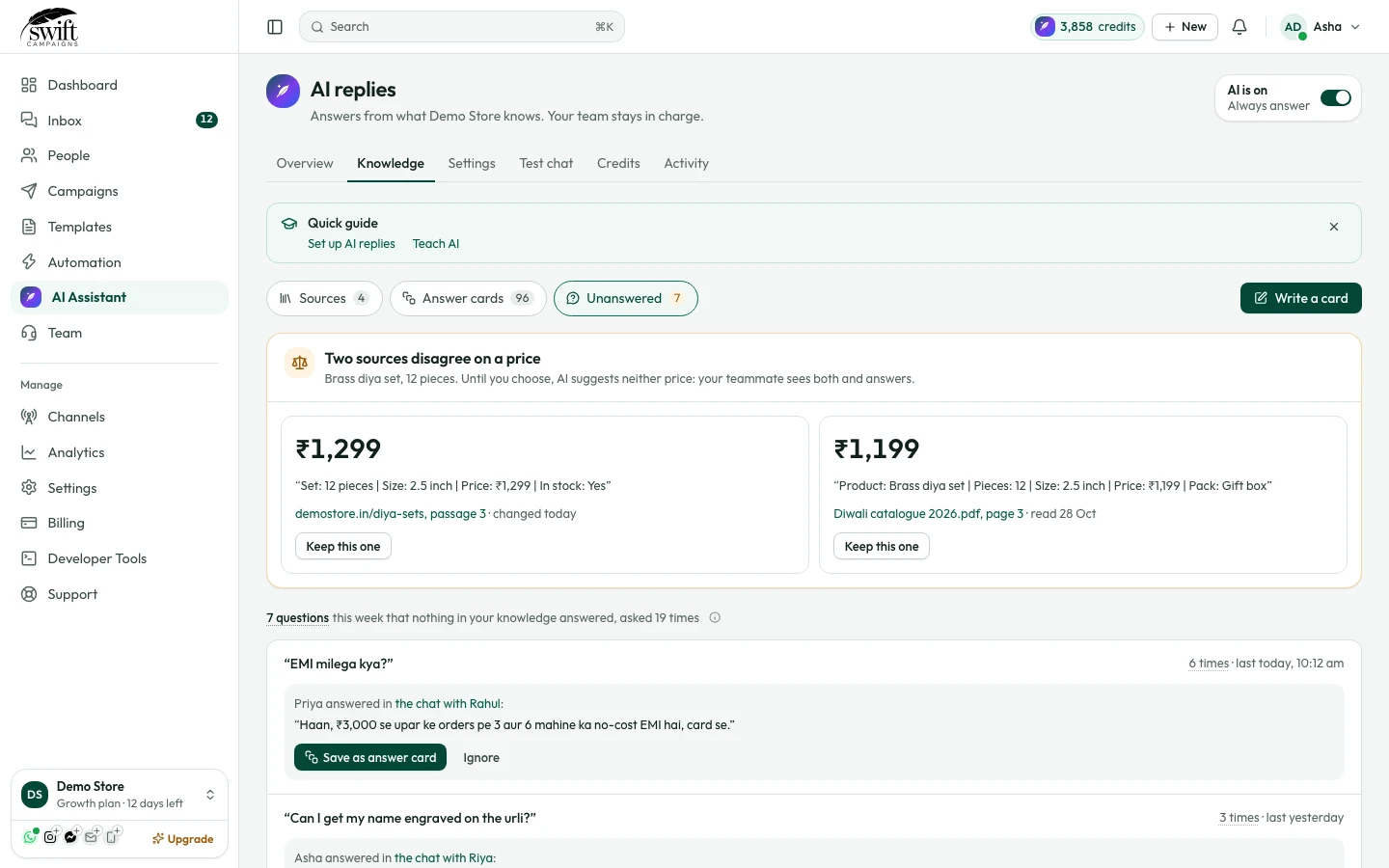
- 2
Keep your answer cards right
Open Answer cards to see every card, or click Write a card. Approved cards answer on their own when the question matches. When your website changes, the cards built on it wait under Check these: click Still right or Edit.
app.swiftcampaigns.com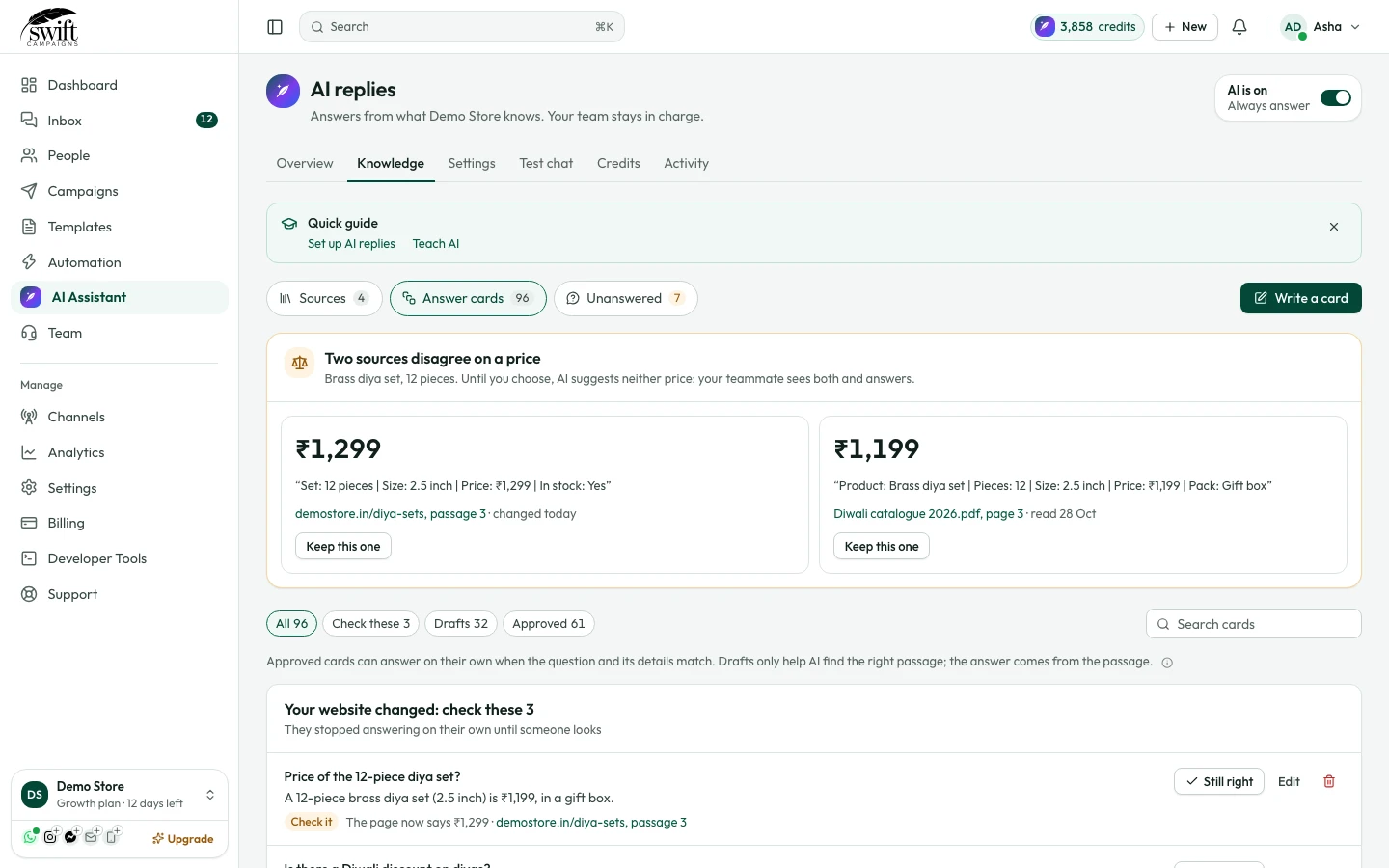
- 3
Settle a disagreement
When two sources disagree, for example two prices for the same product, Knowledge shows both at the top. Until you choose, AI suggests neither and your team answers. Click Keep this one on the right one.
- 4
See everything AI did
Open Activity. What AI did lists every answer, hand-over and suggestion, with what the customer wrote, where the answer came from and the credit. Click a count such as Handed over to see only those, and Open on a row for the full story. Changes shows who changed AI's knowledge and settings, and when.
app.swiftcampaigns.com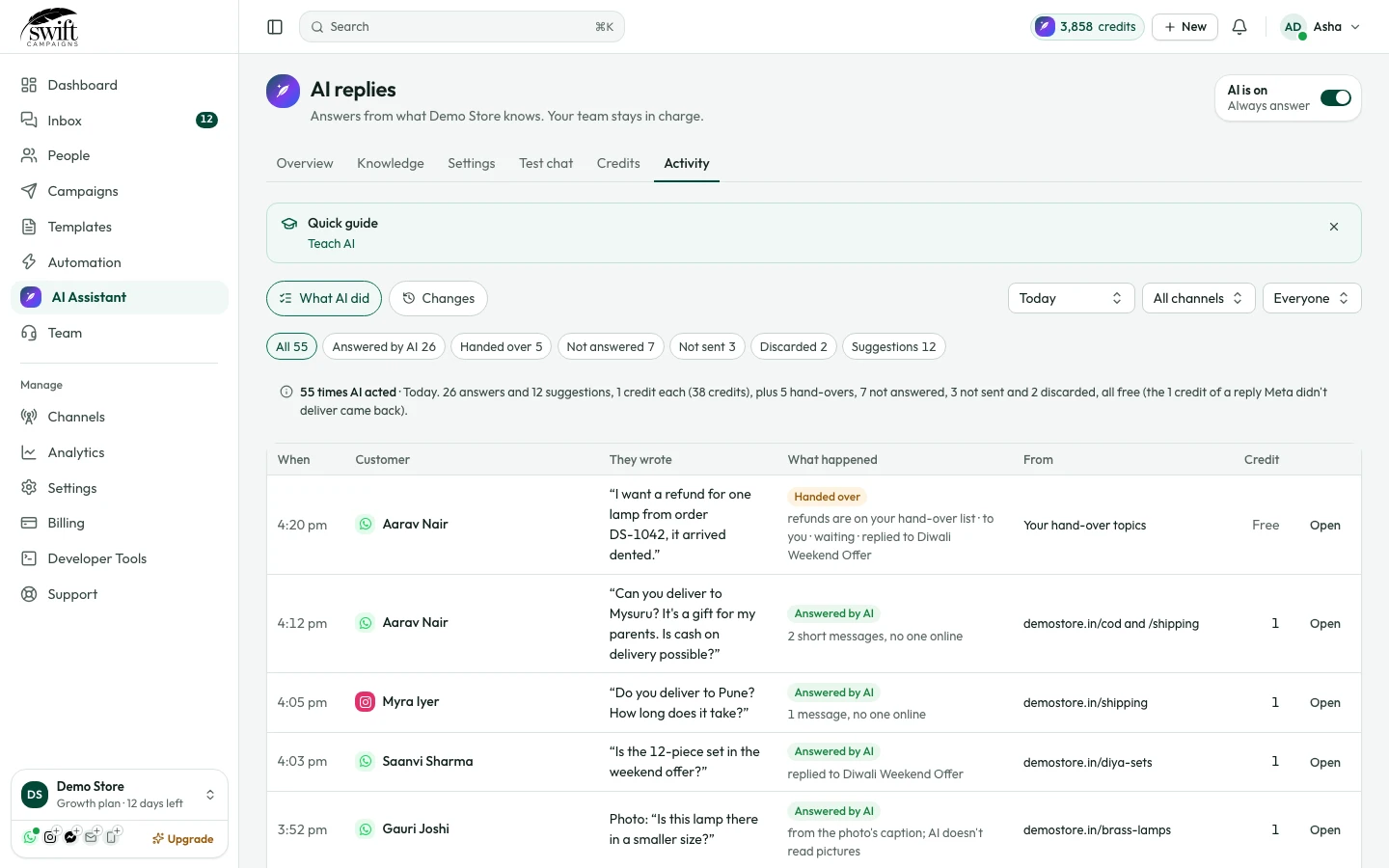
Good to know
- A list of unanswered questions also comes to you by email every Monday.