How to start a flow from a quick automation
Pick a ready-made automation, check its words and publish it in a few minutes.
Automation4 steps·2 min read
- 1
Open New automation
Go to Automation › Flows and click New automation. Under Where should it run?, choose the channel and click Continue.
app.swiftcampaigns.com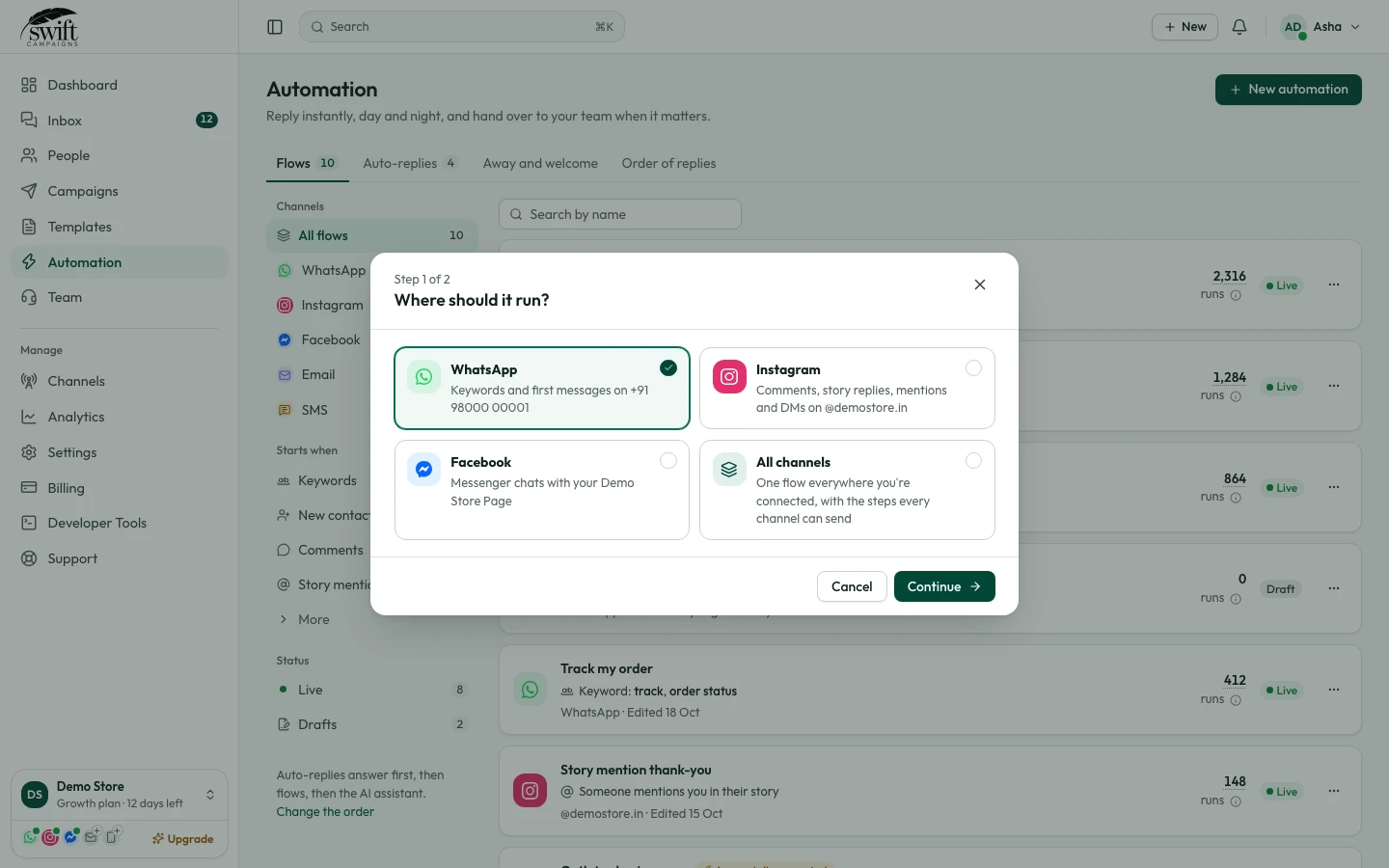
- 2
Pick a quick automation
Under Or start from a quick automation, click one. On WhatsApp: Keyword → menu sends a list to pick from when someone writes price or menu, and Welcome new contacts says hello the first time someone messages you.
app.swiftcampaigns.com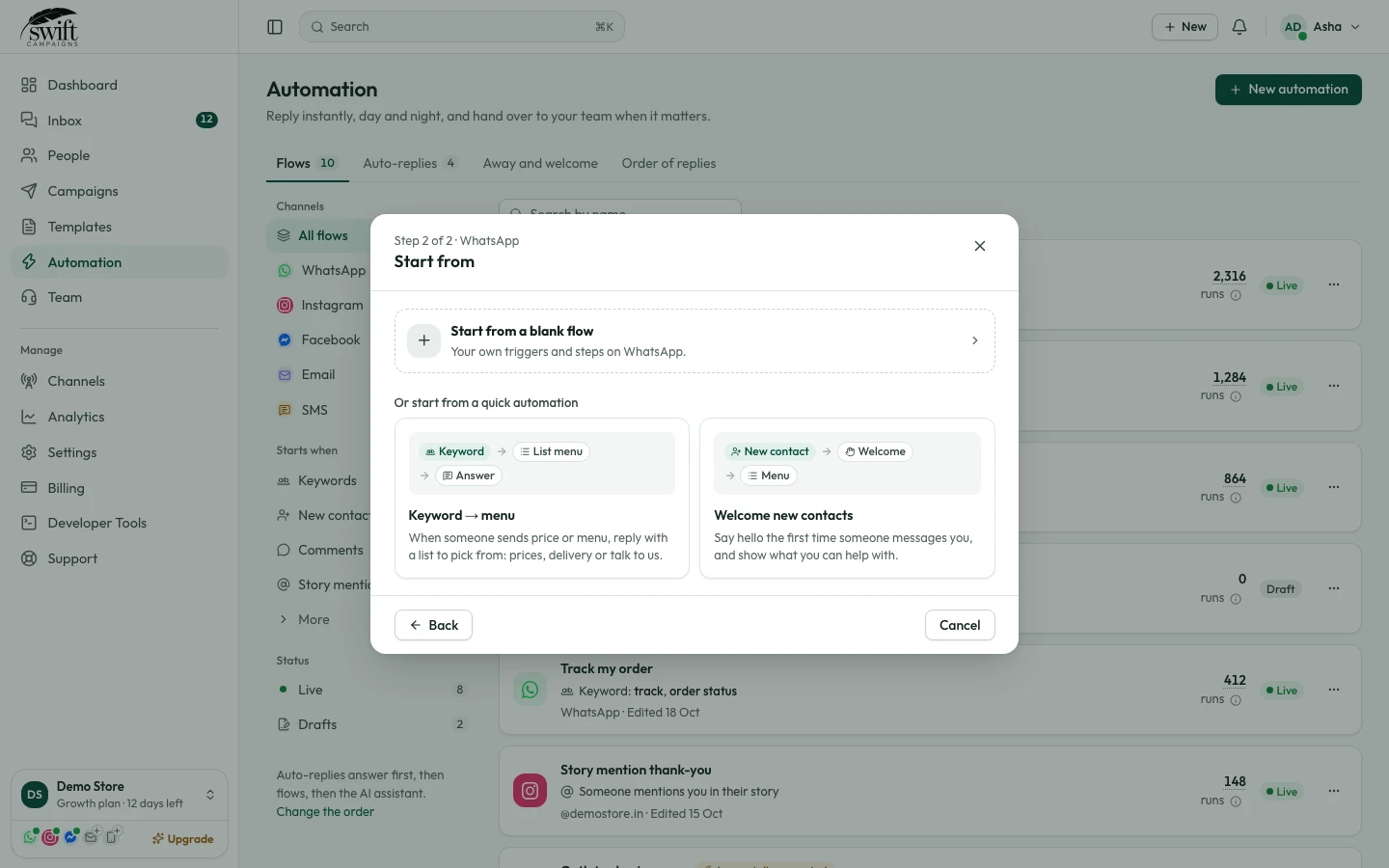
- 3
Check every step
The flow opens in the builder with its steps already written. Click each card to read it and change the words to sound like you. Fill in anything only you know, such as the link you want to send.
- 4
Publish
Click Publish, then try it from another phone. It is a normal flow, so you can add, change or delete steps any time.
Good to know
- Instagram has five quick automations, such as Comment → DM a link and Story mention → thank you, and Facebook has DM keyword → menu. Instagram and Facebook are rolling out; when they're on for your business you'll see them under Channels.