
How to answer story replies and mentions on Instagram
Send a message automatically when someone replies to your story or mentions you in theirs.
Automation5 steps·3 min read
- 1
Start an Instagram flow
Instagram and Facebook are rolling out; when they're on for your business you'll see them under Channels. Then go to Automation › Flows, click New automation, choose Instagram and pick Story reply → reply or Story mention → thank you.
- 2
Set up story replies
Click the story line on the When… card. Under Which story it answers Any of your stories. Choose Any reply, or With a keyword to answer only replies with that word.
app.swiftcampaigns.com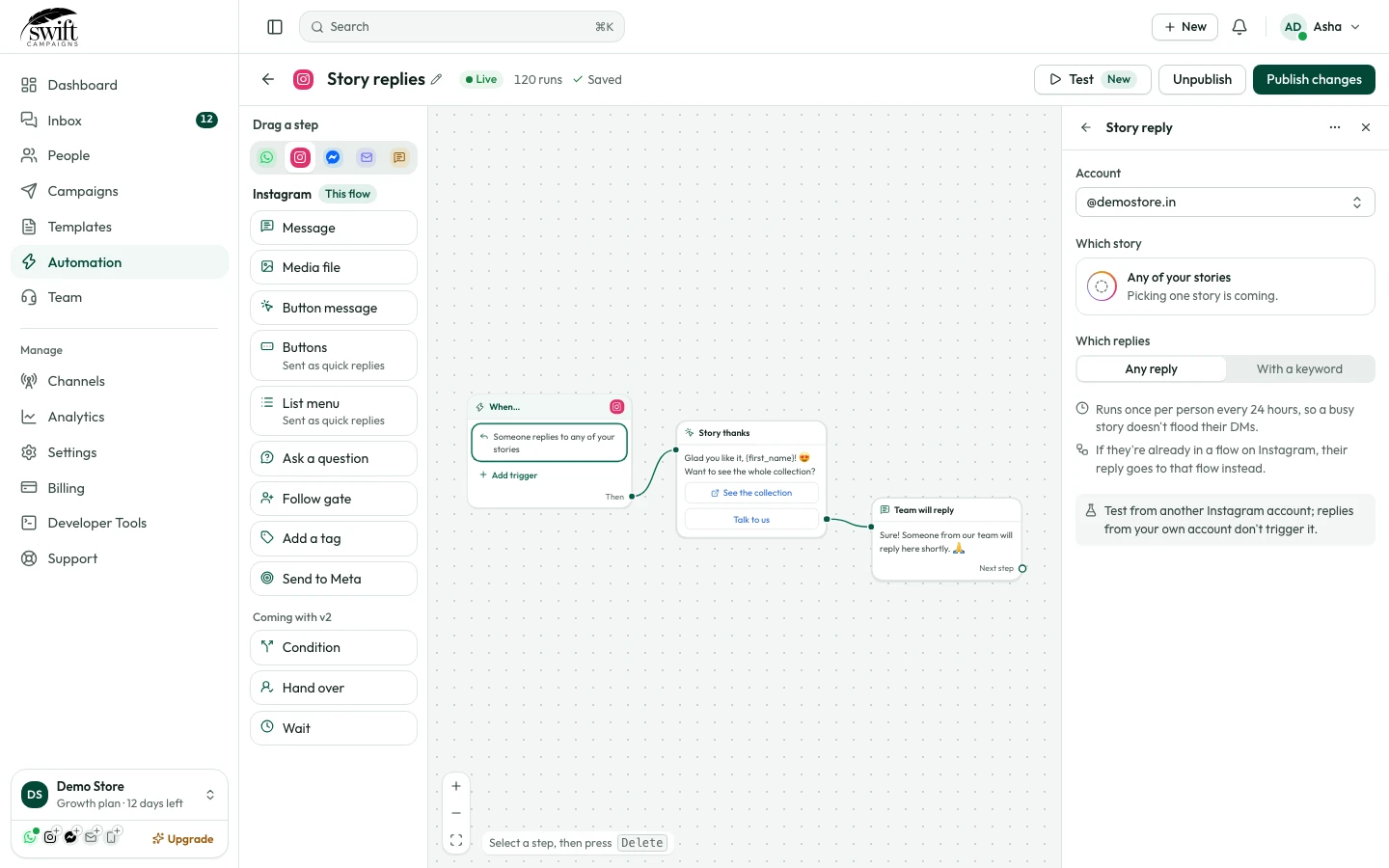
- 3
Set up story mentions
For mentions, pick the Account. Instagram tells us about mentions from public profiles only, so a mention from a private profile doesn't start the flow.
app.swiftcampaigns.com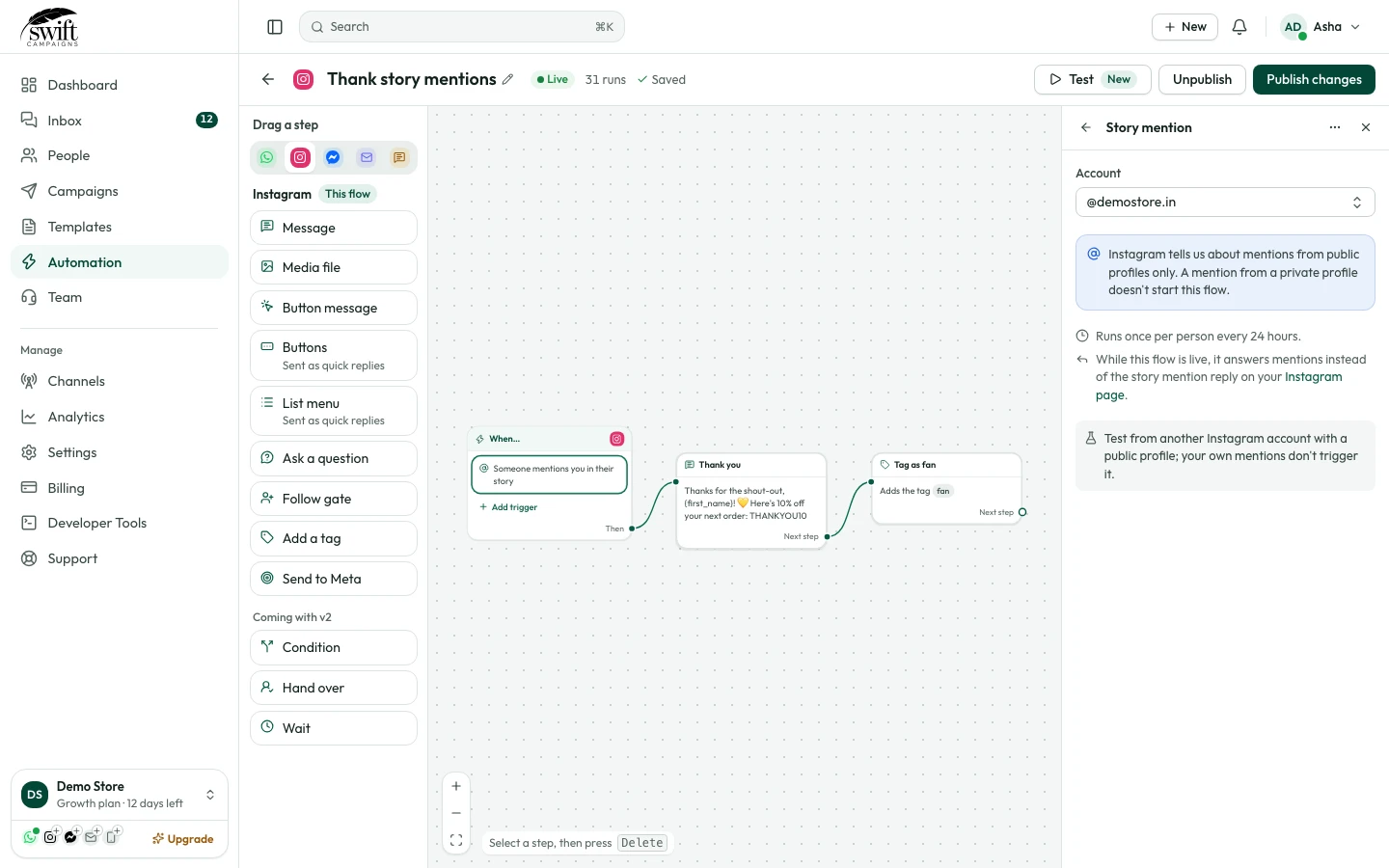
- 4
Write your message and publish
Click the message step and write what to send, such as the price, sizes or a thank-you. Click Publish and test from another Instagram account.
- 5
Add it to any Instagram flow
In an Instagram flow you already have, click Add trigger on the When… card and choose Story reply or Story mention.
Good to know
- Each person gets it once every 24 hours, so a busy story doesn't flood their DMs.
- If someone is already in a flow on Instagram, their story reply goes to that flow instead.
- While a story mention flow is live, it answers mentions instead of the story mention reply on your Instagram page.