How to send a DM when someone comments on Instagram
Reply in public and send a private message with your link when people comment a word like KIT.
Automation6 steps·4 min read
- 1
Connect Instagram first
Instagram and Facebook are rolling out; when they're on for your business you'll see them under Channels. Connect your Instagram account there before you start.
- 2
Start from Comment → DM a link
Go to Automation › Flows, click New automation, choose Instagram and click Continue. Pick Comment → DM a link, or Comment → ask email → send link to collect their email first.
app.swiftcampaigns.com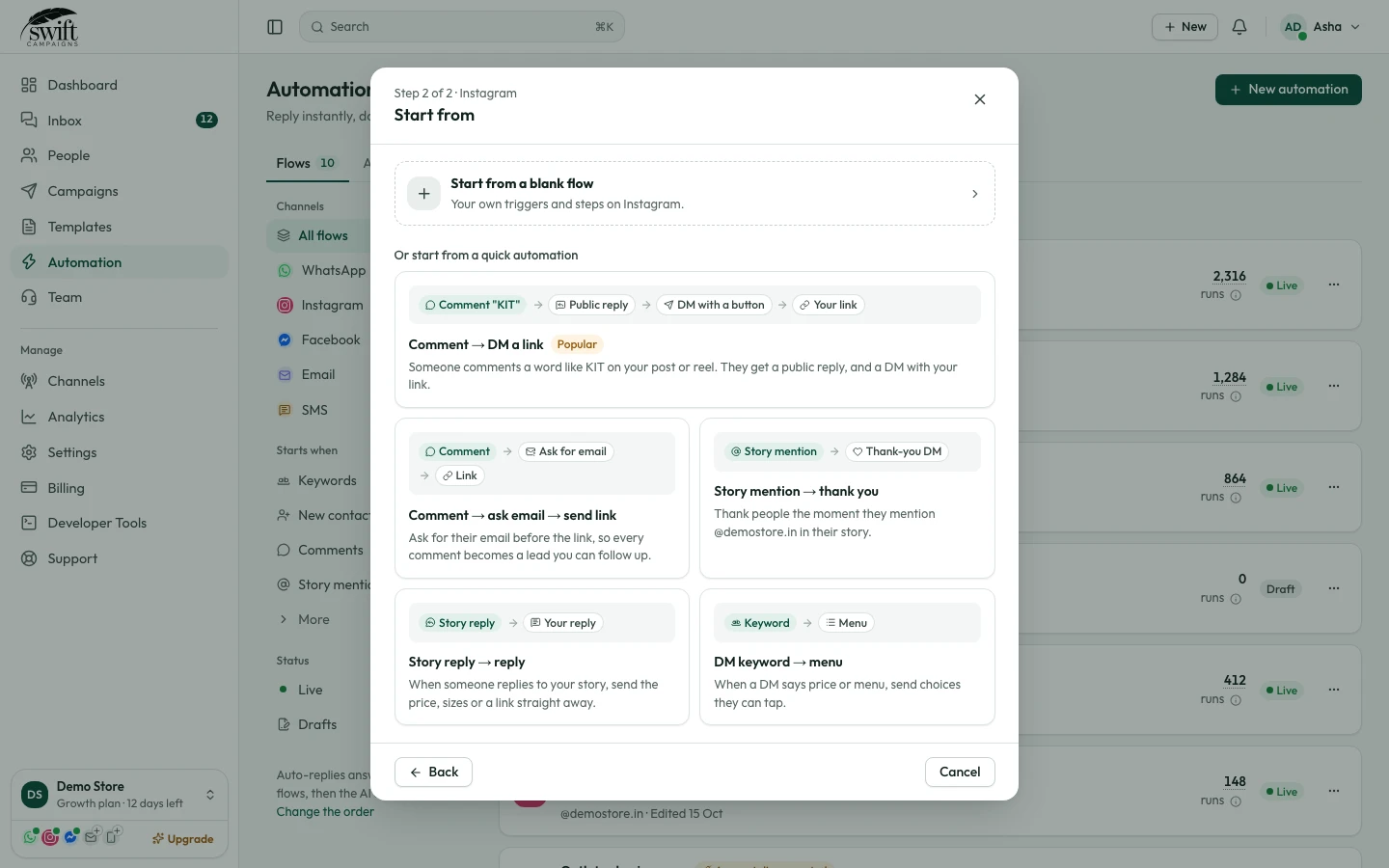
- 3
Choose the post and the word
Click the comment line on the When… card. Under Which post choose Your next post, A specific post or Any post or reel. Under Which comments choose With a keyword and type your word, for example
KIT, or Any comment.app.swiftcampaigns.com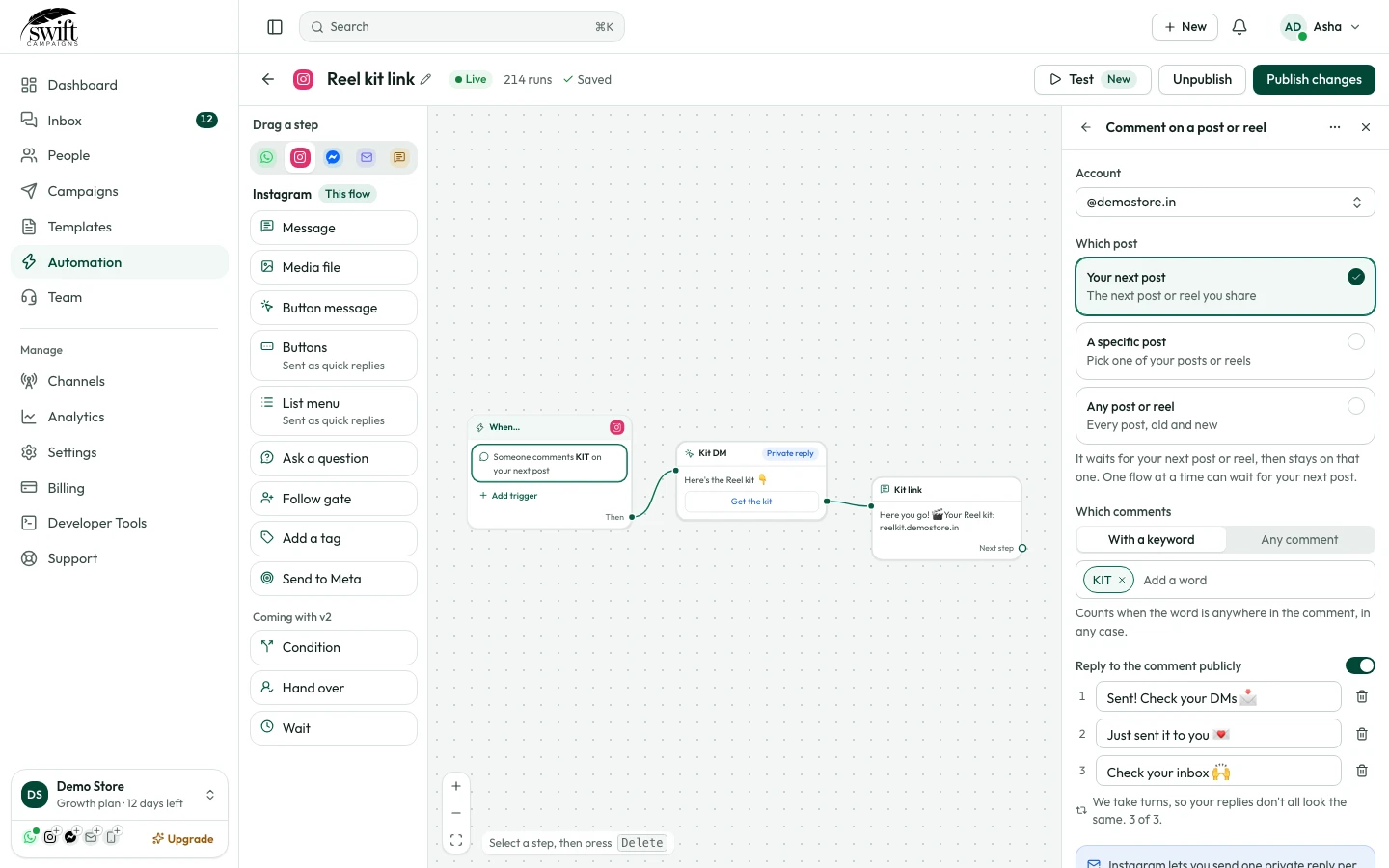
- 4
Write the public replies
Under Reply to the comment publicly, write up to three short replies such as "Sent! Check your DMs". They take turns, so your post doesn't fill up with the same line.
- 5
Add your link
On the canvas, click the last step and paste the link you want to send. The first step goes as the private reply to their comment; the next one follows when they tap its button.
app.swiftcampaigns.com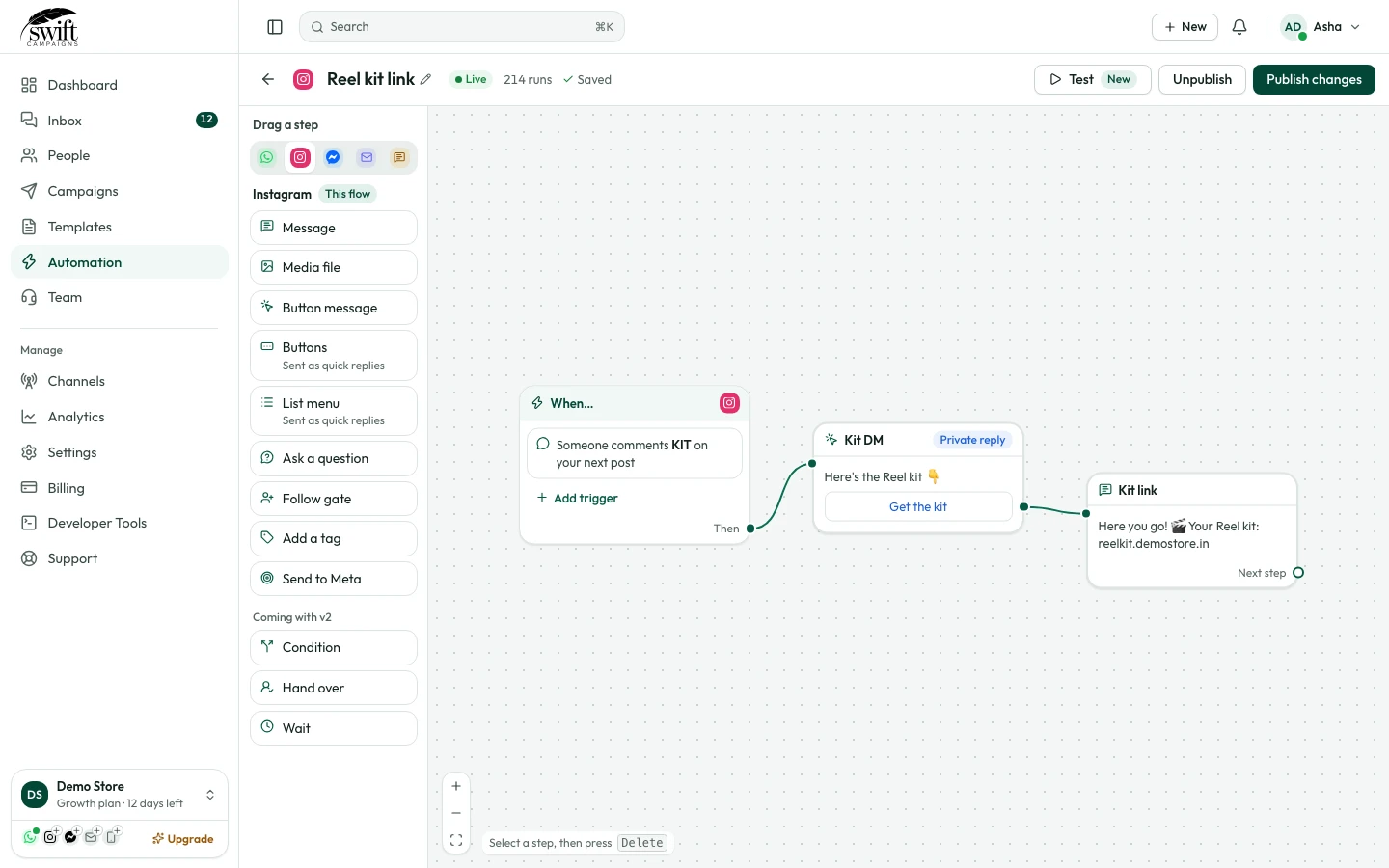
- 6
Publish and test
Click Publish. Test from another Instagram account; your own comments don't trigger it.
Good to know
- Instagram lets you send one private reply per comment. Your first step goes as that reply; the rest waits for them to tap or reply.
- Only comments on the post count, not replies to comments. Each person gets the DM once per post.
- Any comment on any post means every comment gets a DM. People may report that as spam, so add a keyword or pick a post.